
How I Turn One Idea Into 20 Pieces of Content
The exact repurposing system

Hey welcome to this edition!
Most people get exhausted creating content.
And they often ask me “how do you keep up with all this content creation?”
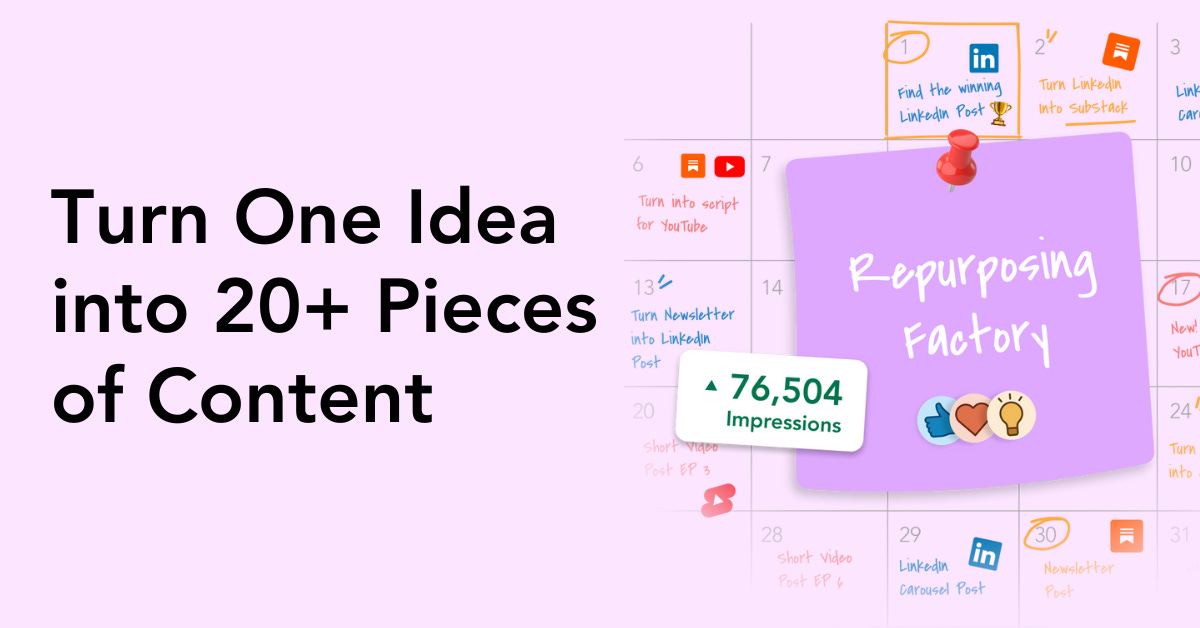
The truth is that one idea becomes 20 pieces of content.
So in this edition, I’ll give you some insights on content repurposing:
The problem with how most people create content
How I naturally discovered repurposing in 2023
How my repurposing system works with 3 pillars
🎉 Announcement: Black Friday Offer starts on 25.11.2025
Next week, I will release my “Repurposing Factory” course with a Black Friday offer.
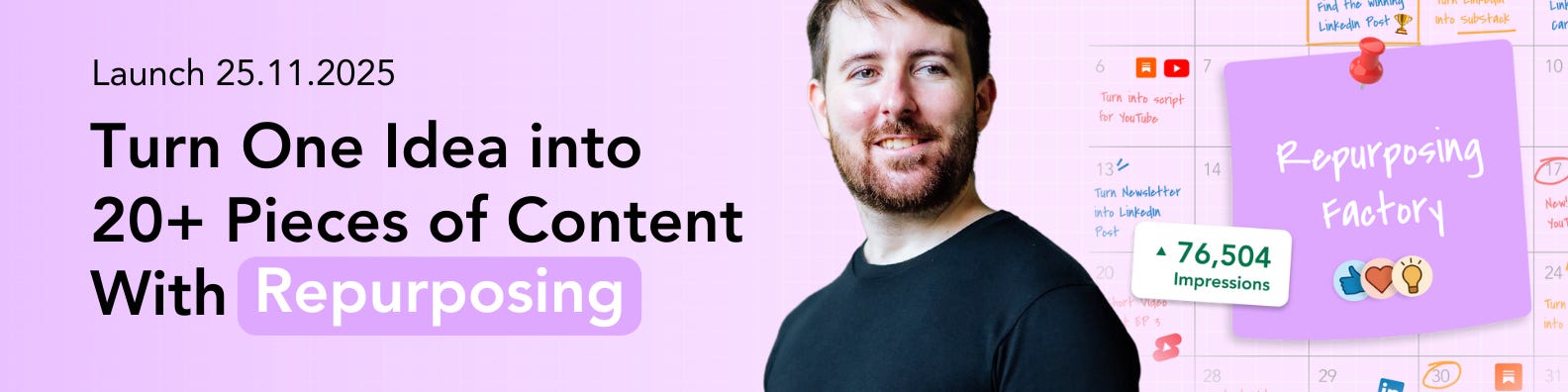
You’ll get the full system I use to turn one validated idea into an entire content ecosystem across LinkedIn, Substack, YouTube, Shorts, and guides. For the first time, I’m revealing the exact routes, prompts, workflows, and templates that let me publish consistently without ever starting from zero.
The problems with how most people create content in 2025
I’ve audited hundreds of content strategies and most people or businesses face 3 main problems. And they won’t be able to get consistent and significant results until they fix them.
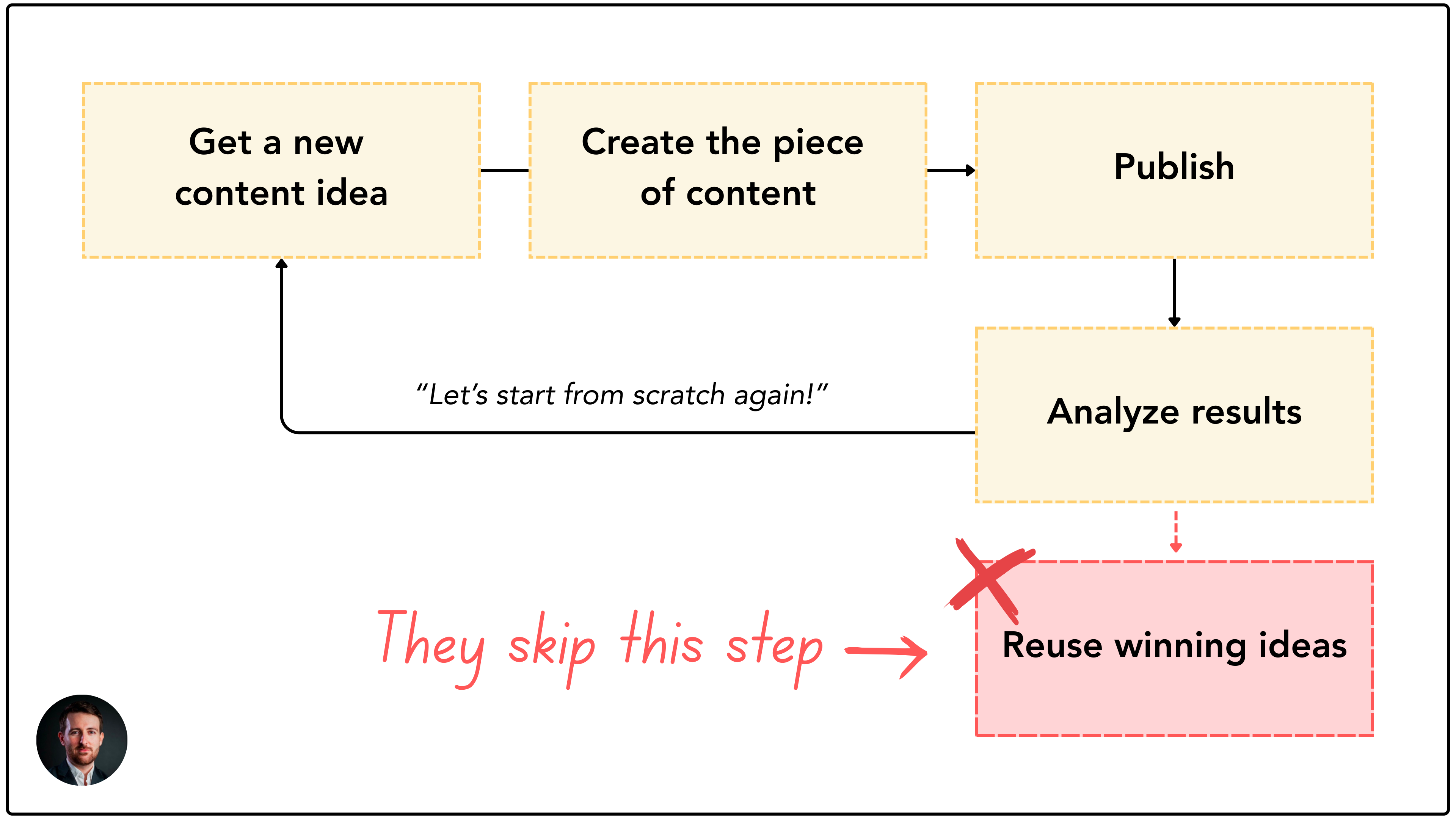
Problem 1: Content is treated as single-use. Posts, newsletters, videos are published once and buried.
Most people treat their content like a one-time event. They write a LinkedIn post, hit publish, and never touch it again. They spend hours on a newsletter that gets one send and then disappears. The cost is huge; they end up rewriting the same ideas, starting from a blank page again and again.
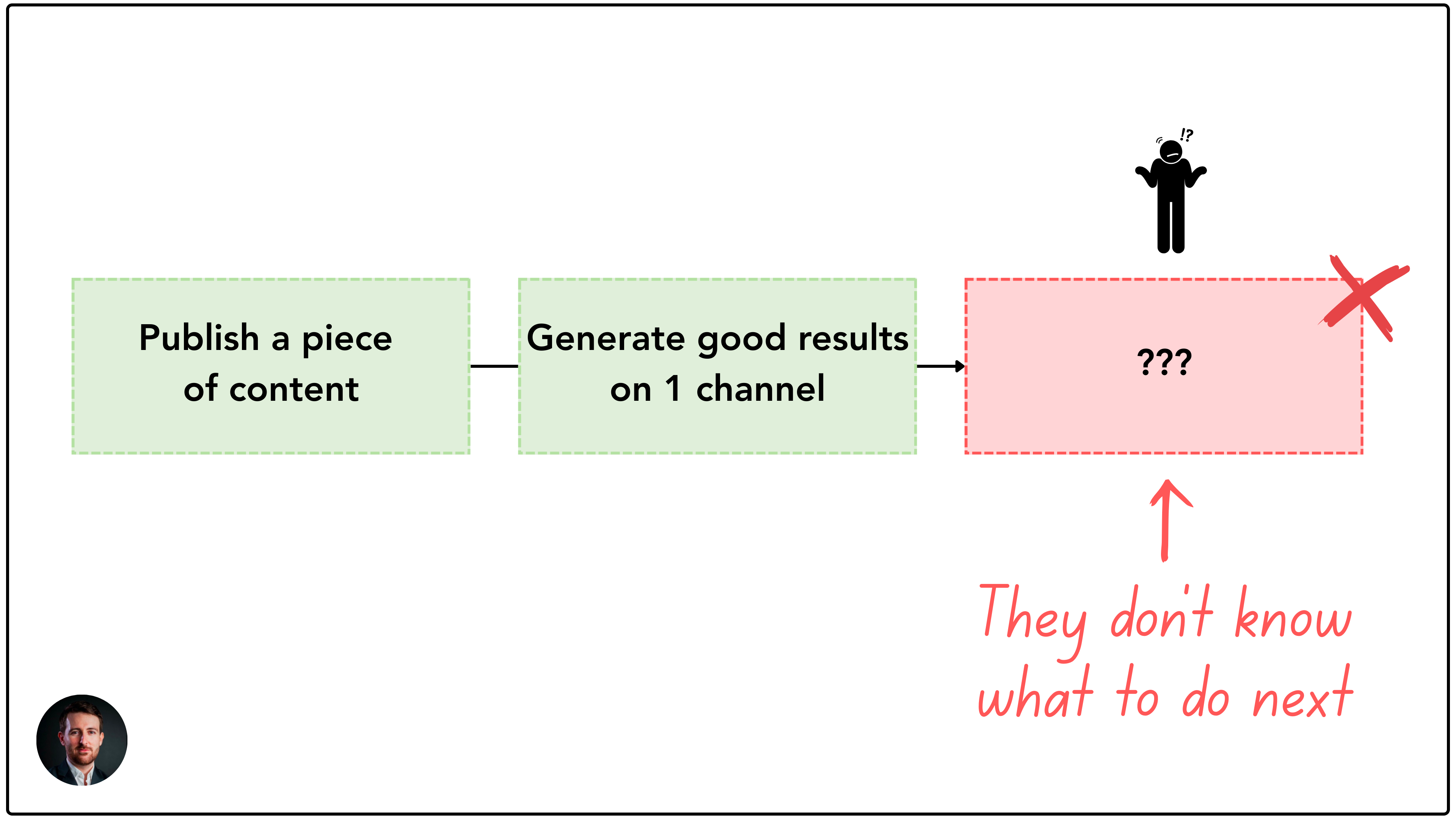
Problem 2: There is no clear route from “one strong idea” to “multi channel assets.”
Now when they come up with a good piece of content, they don’t know how to turn it into other assets (a newsletter, a carousel, a video script, a guide, or a set of shorts). So everything feels manual, random, and improvised. They don’t have a defined path so content becomes a series of disconnected pieces instead of an ecosystem.
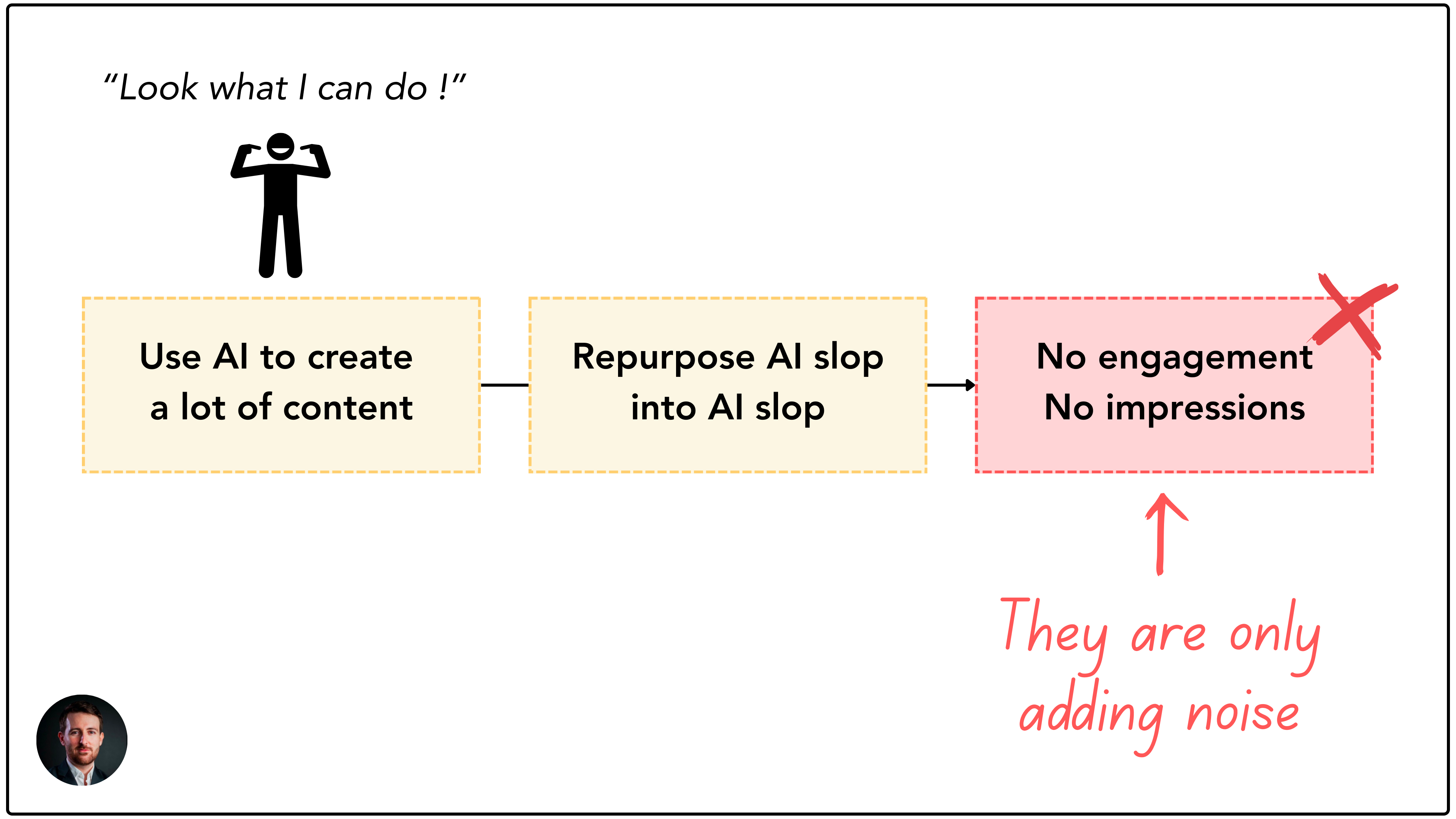
Problem 3: AI is used randomly (or overused) so it creates noise.
Some people think they have a proper content creation system in place because “they can create 100 pieces of content in 1 day”. But when they hit publish, they get zero engagement and low views. That’s because they’re only producing AI slop that no one wants to read.
Therefore, they face inconsistent publishing, lack of results and a constant feeling of “starting from zero again”
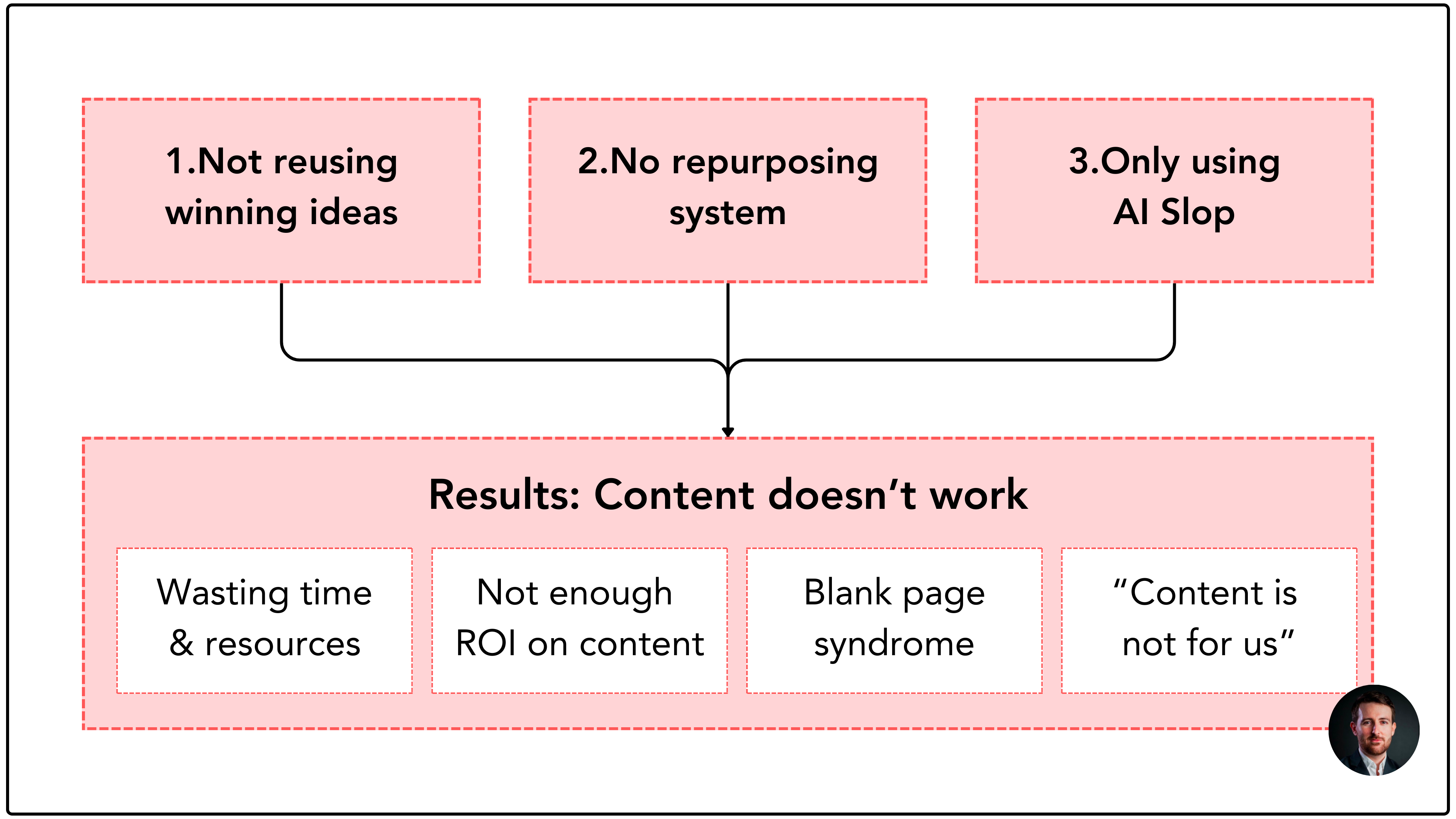
→ A solid repurposing system will fix these 3 problems.
How I naturally leaned into repurposing in 2023
Repurposing is a hot topic in 2025, but to be honest, I’ve been doing it since 2023 when AI wasn’t even here. It only felt natural to turn a winning LinkedIn post into a newsletter, then into a guide, and then into a YouTube video.
It also felt like a waste of resources to use a winning idea for only one piece of content. So I decided to maximize the return on investment (ROI) of every piece of content I created.
That’s how I created my first repurposing route:
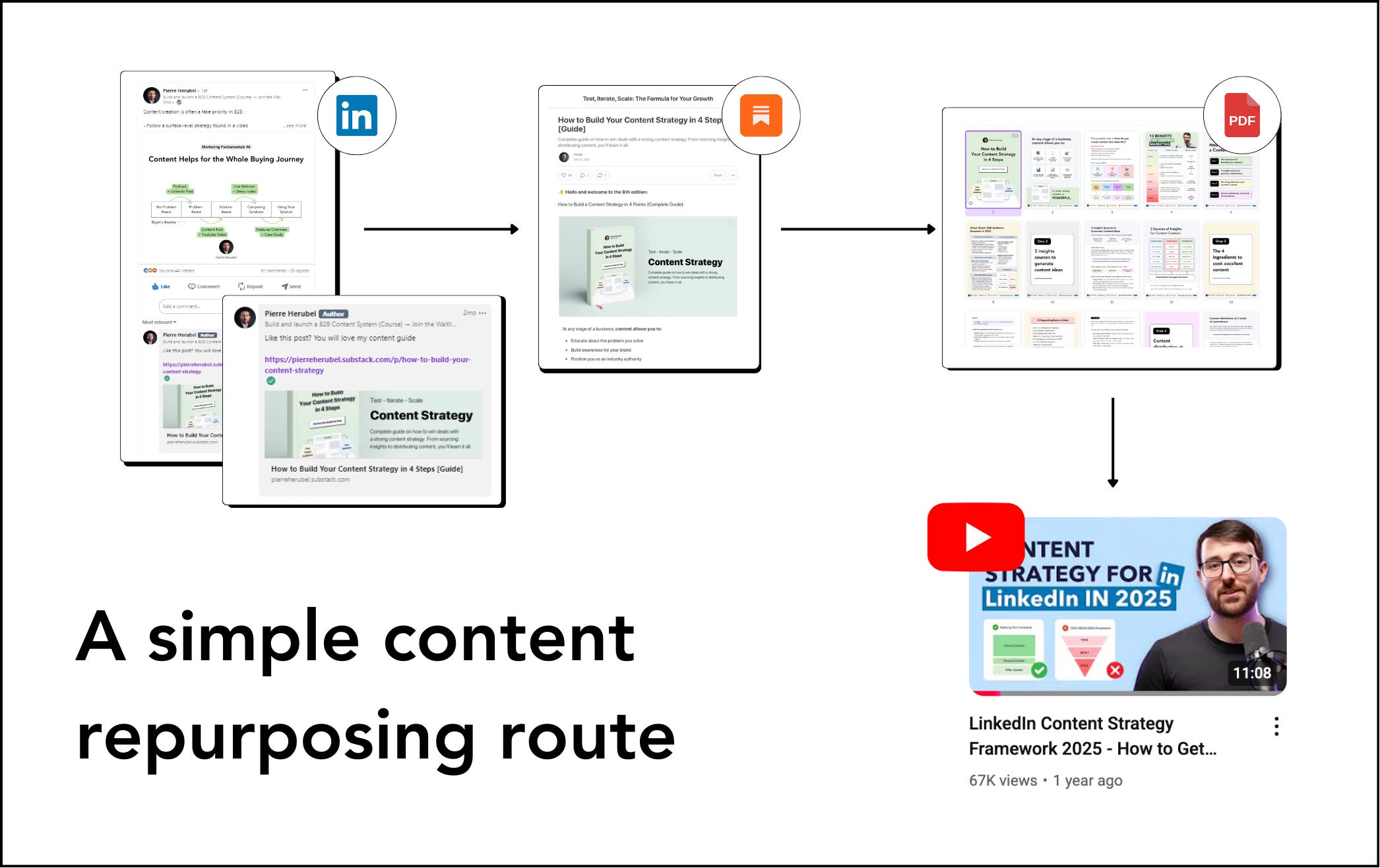
LinkedIn posts → Substack Newsletter → PDF Guide → New LinkedIn posts → YouTube video
I transformed a series of LinkedIn posts into a Substack newsletter. It performed really well so I turned it into a PDF guide that I used as a welcome gift for my newsletter. I then transformed the PDF into new LinkedIn posts to promote the welcome gift. Based on the PDF, I also wrote a YouTube script which eventually led to a 70K+ views video.
💡 Learning: if you create a winning piece of content, repurpose it as much as possible.
A core principle of the repurposing system is to start from “net new content” to then repurpose:
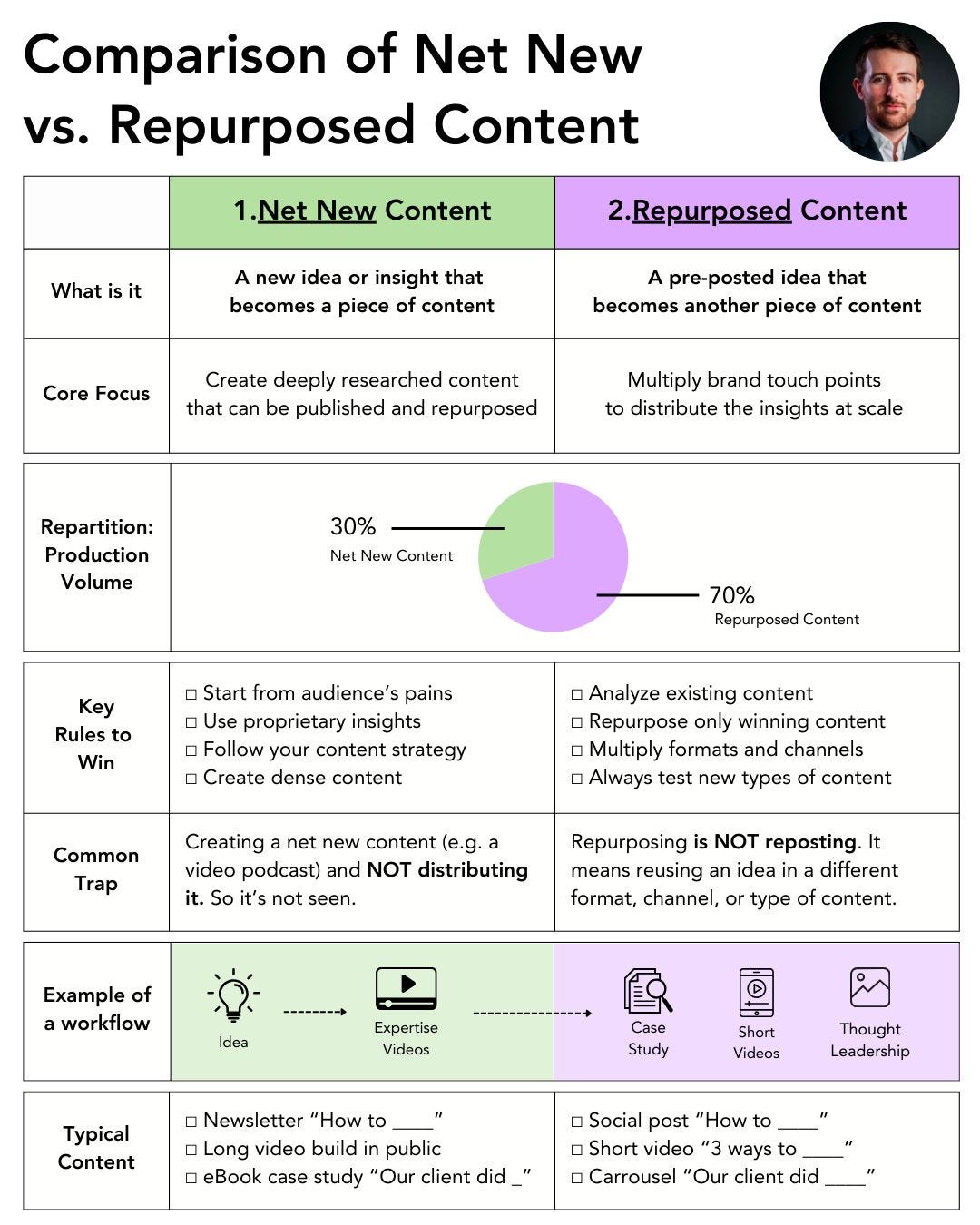
So now, I’ll give you an overview of how my repurposing system works
The 3 pillars of how my repurposing system works
Pillar 1 - I use an ideation system that allows me to turn 1 idea into 20 pieces of content
My repurposing ideation system starts from validated ideas: winning LinkedIn posts, high-performing Substack Notes, strong newsletter sections, and transcripts that already contain proven insights.
Instead of inventing new topics, I extract and refine the ideas that already performed well (impressions, saves, engagement, leads). Then, I simply change the type of content (case studies, comparison, stories, etc) and formats so I can give multiple lives to one idea.
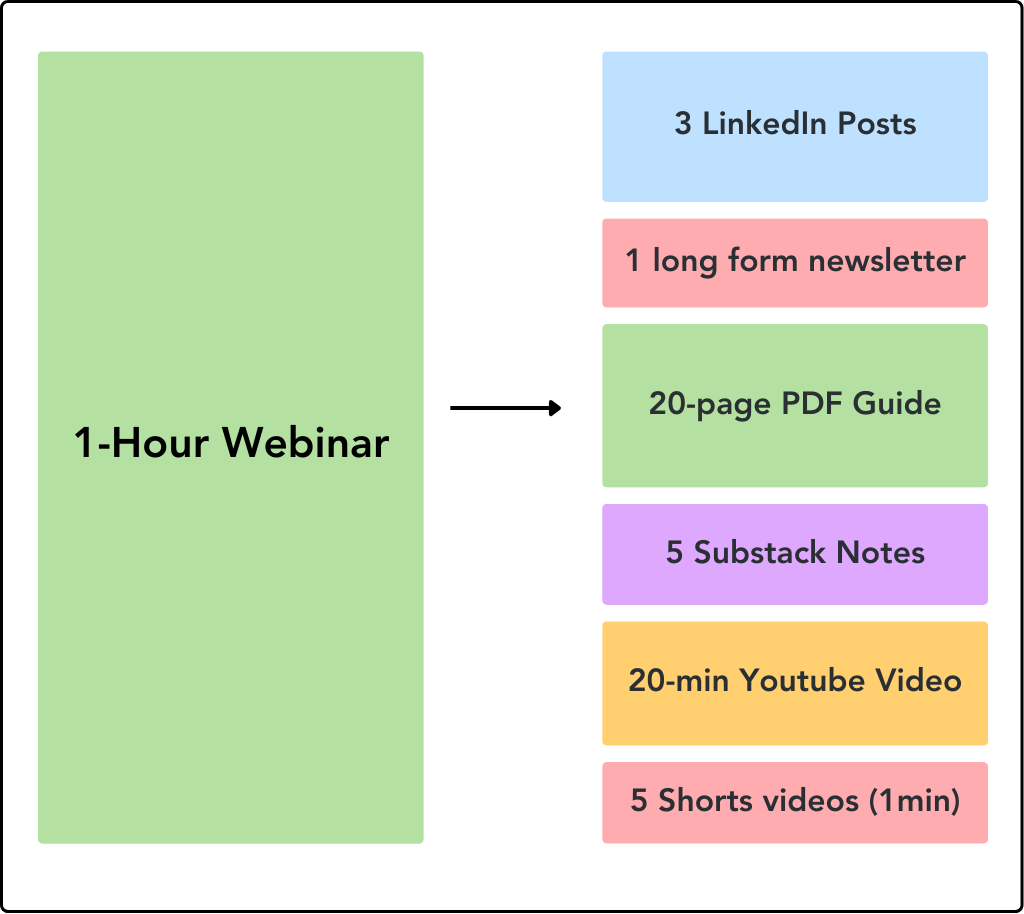
What this includes:
Identifying “winners” using analytics (above-average impressions, saves, comments, subscribers, DMs, retention metrics).
Using Substack Notes, LinkedIn posts, comments, and conversations as a fast idea lab.
Extracting long-form ideas from newsletters and cutting them into short-form posts, carousels, shorts, and visuals.
Converting high-retention YouTube moments into short videos that bring new angles back into long-form content.
→ In the repurposing factory, I’ll teach you my sandbox ideation methodology.
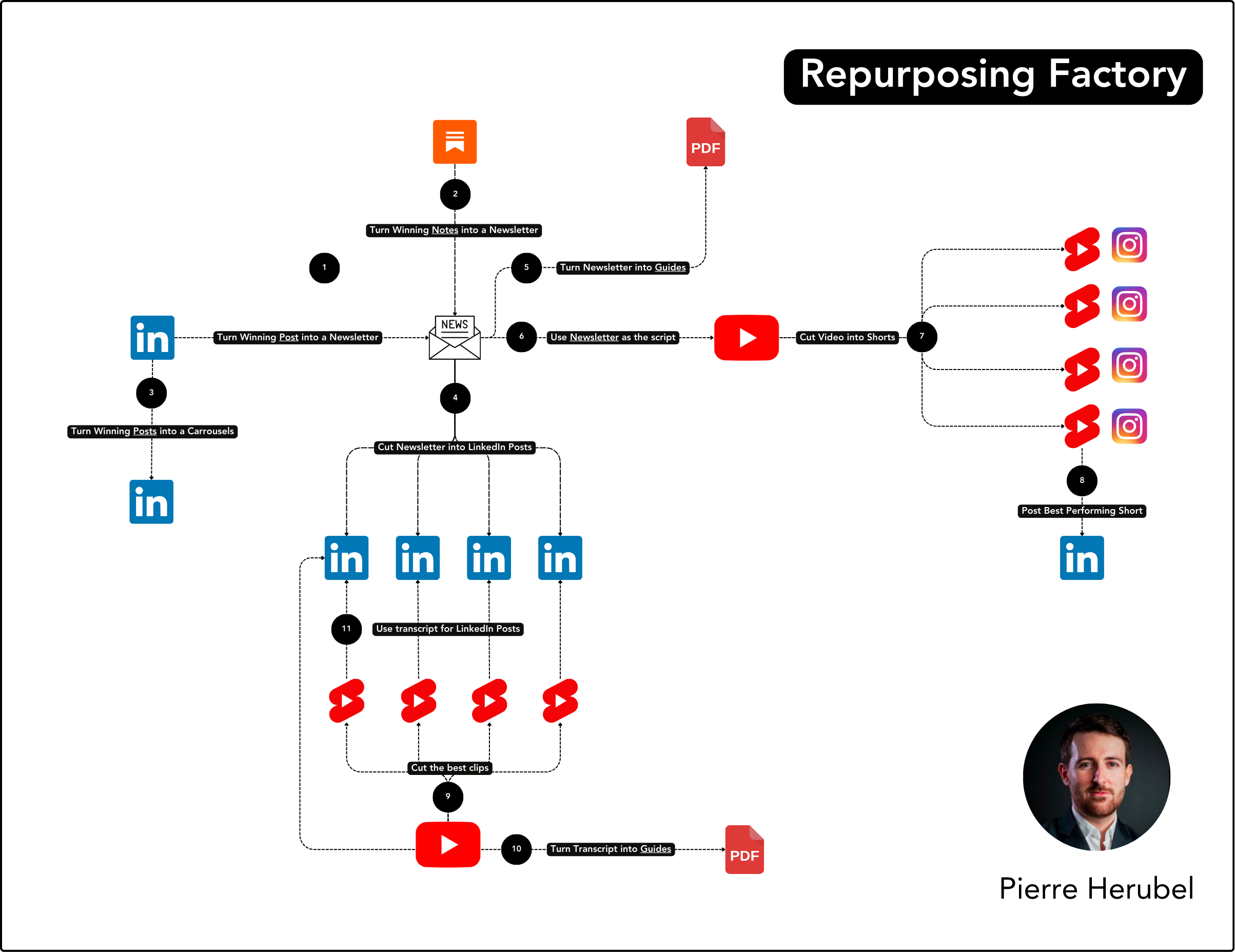
Pillar 2 - I built 11 predetermined repurposing routes I know ALWAYS work so I can rely on them without overthinking
I built 11 repurposing routes that remove 100% of the guesswork and blank page syndrome from content creation. Each route takes one asset (LinkedIn post, newsletter, Substack note, a video or a transcript) and transforms it into another piece of content.
This gives me a predictable content machine where every idea has a clear destination. This way, I can get a maximum ROI out of every piece of content. I also save time because I have predetermined flows of repurposing.
What this includes:
Route 1: Post → Newsletter: Expand only winning posts using the Extend Process to create a newsletter with a pre-validated topic.
Route 2: Substack Note → Newsletter: Use Notes as micro-tests, then expand top performers into full long-form content.
Route 3: Post → Carousel: Turn list, framework, or story posts into 10-slide carousels using two specific templates (I made millions of impressions this way).
Route 4: Newsletter → LinkedIn Posts: Extract 15-20 insights using a structured AI system to feed my content pipeline.
→ In the repurposing factory, I give you all my systems to install your repurposing routes step by step. It goes live on 25/05.
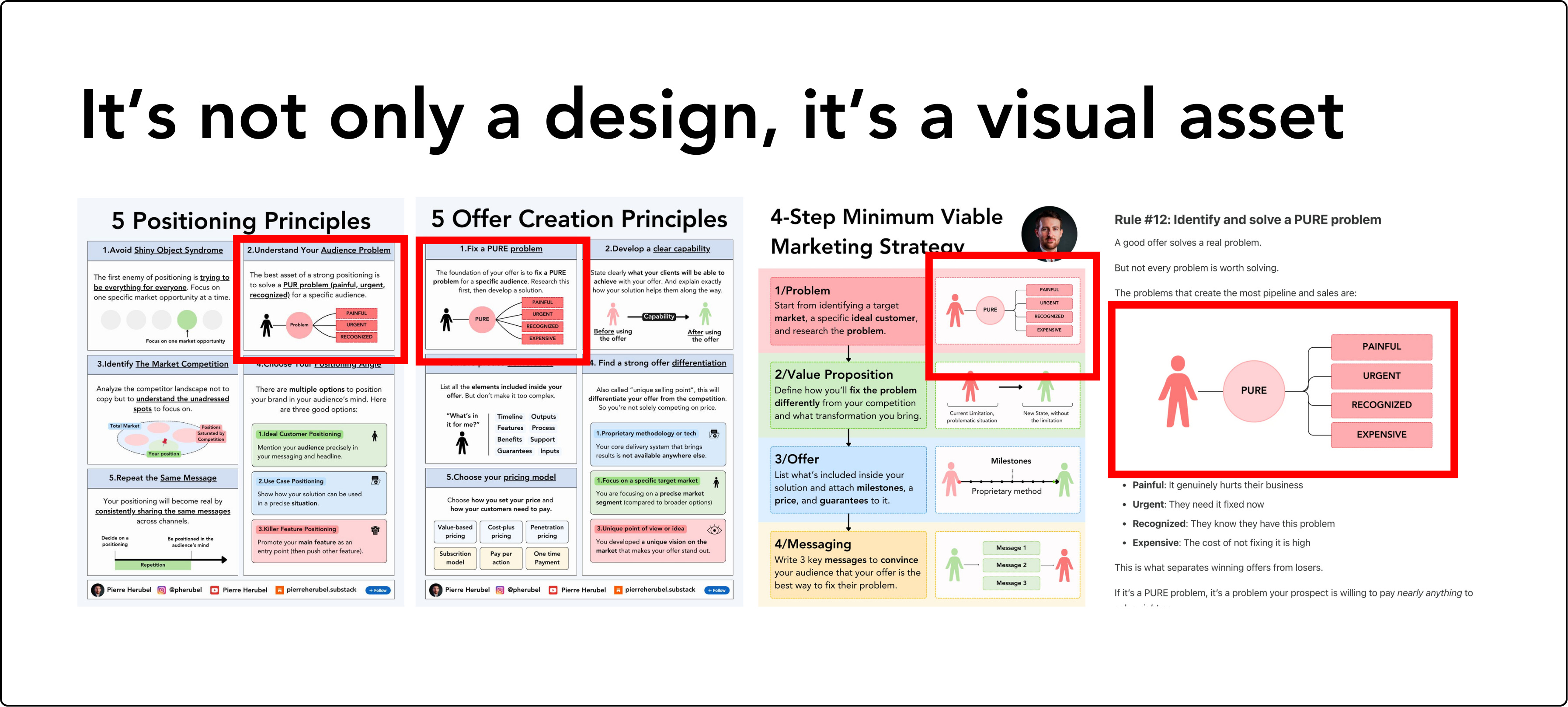
Pillar 3 - I created a library of visual assets that I reuse across channels to save time and create brand consistency
I created a visual asset library so every key concept has a clear visual, definition, and identity. Instead of designing from scratch, I simply reuse proven visuals across LinkedIn, newsletters, videos, and guides.
This saves hours every week and builds a recognizable brand my audience instantly remembers. This also creates a consistent experience across channels so my audience connects the dots.
What this includes:
Reusable visuals for frameworks, models, comparisons, and processes
A structured library that makes content creation faster and more consistent
Pre-validated templates of infographics and carousels
Brand identity people immediately associate with your expertise
→ In the repurposing factory, I’ll teach you how to build your library of visual assets. It goes live on 25/05.
🎉 Announcement: Black Friday Offer starts on 25.11.2025
Next week, lean how to build YOUR repurposing system and create unlimited content
You’ll get the full system I use to turn one validated idea into an entire content ecosystem across LinkedIn, Substack, YouTube, Shorts, and guides. For the first time, I’m revealing the exact routes, prompts, workflows, and templates that let me publish consistently without ever starting from zero.
This is exactly the shift most teams miss. I always say repurposing is all about respecting good ideas. If something works, it should earn multiple lives across formats and channels. Content should be treated like an asset.
I like the pre-built routes you lay out here; knowing exactly what to do in a repeatable system is so much easier for execution than just getting generic advice like, "You can do so much more with this content!" Curious about your techniques for analyzing performance of short-form and then expanding it. I've found that creating a long-form asset first helps crystallize the ideas and tease out the nuances, and that the long-form => short-form pathway is an easier direction to travel in.