

Most YouTube channels play the B2C game: They chase subscribers and viral videos, because their revenue comes from ads and sponsors.
In B2B, it’s a different game: 1 view can equal 1 customer.
Personally, I don’t use YouTube as a views machine, I use it as a revenue engine that attracts qualified people and captures their emails.
So in this edition, I’ll explain:
How to get leads from YouTube in B2B with 12 actionable tips to get leads from YouTube
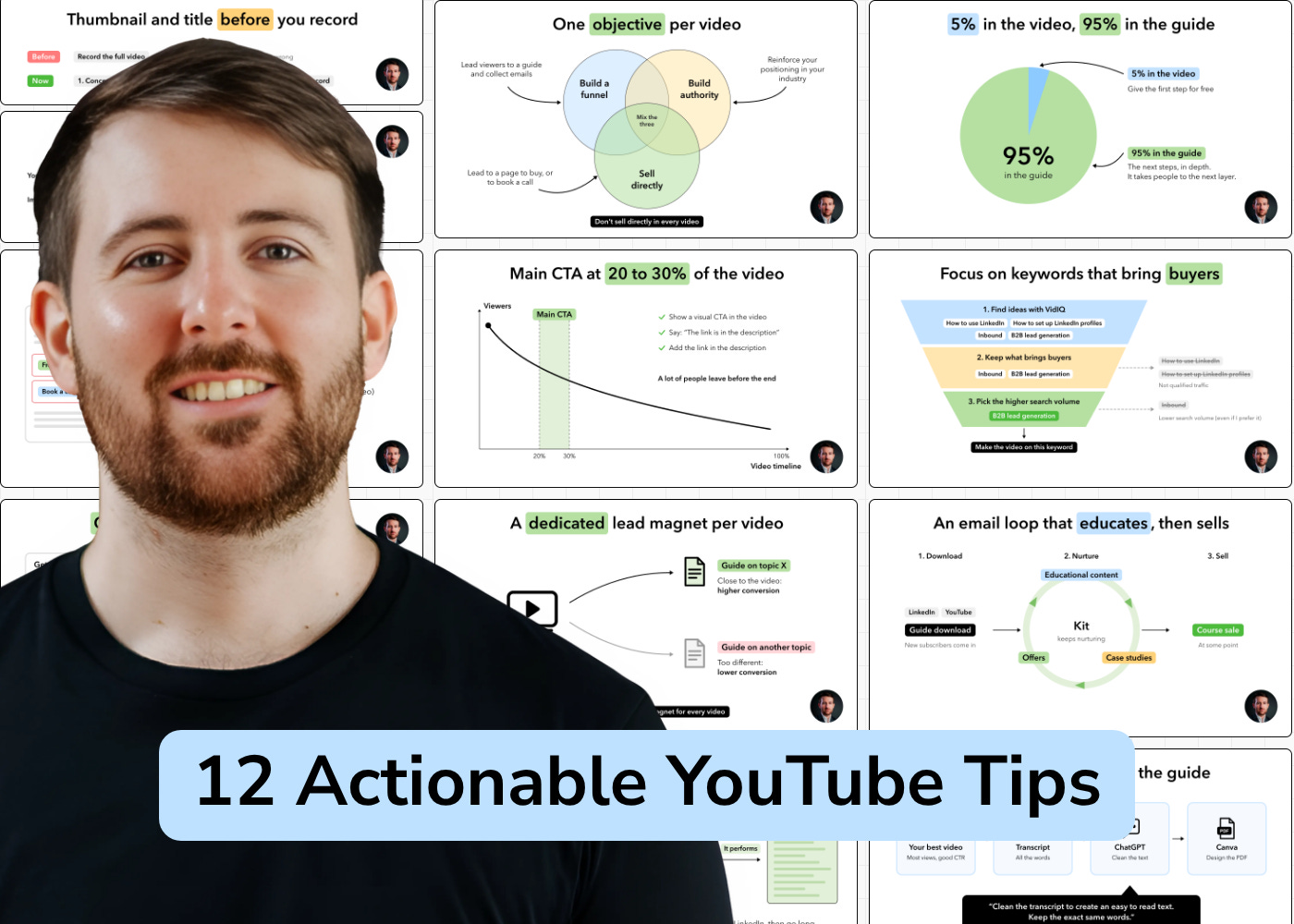
When I started YouTube, I felt like I was seeing in 3D for the first time. It’s more work than LinkedIn, and honestly I’m still struggling to grow the channel. But it became one of the most reliable channels for growing my list. The difference is in what happens around the video.
Let’s dive in the 12 tactics I use.
Want to build your content system with me?
Watch the tactics in action. All my B2B marketing videos are on my YouTube channel, with the lead magnets and CTAs I talk about in this edition. Subscribe to my YouTube channel
Learn my full content system. In my course, I share how I use LinkedIn, the newsletter and YouTube to generate leads and sales, with the scripts, the thumbnails and the lead magnets. Join the course
Or let my team install it for you. We’re opening a new batch of GTM Sprints. Over 60 days, we install your offer, content and outbound system, and at the end you own it. Learn more about the GTM Sprint
1. Choose one objective per video
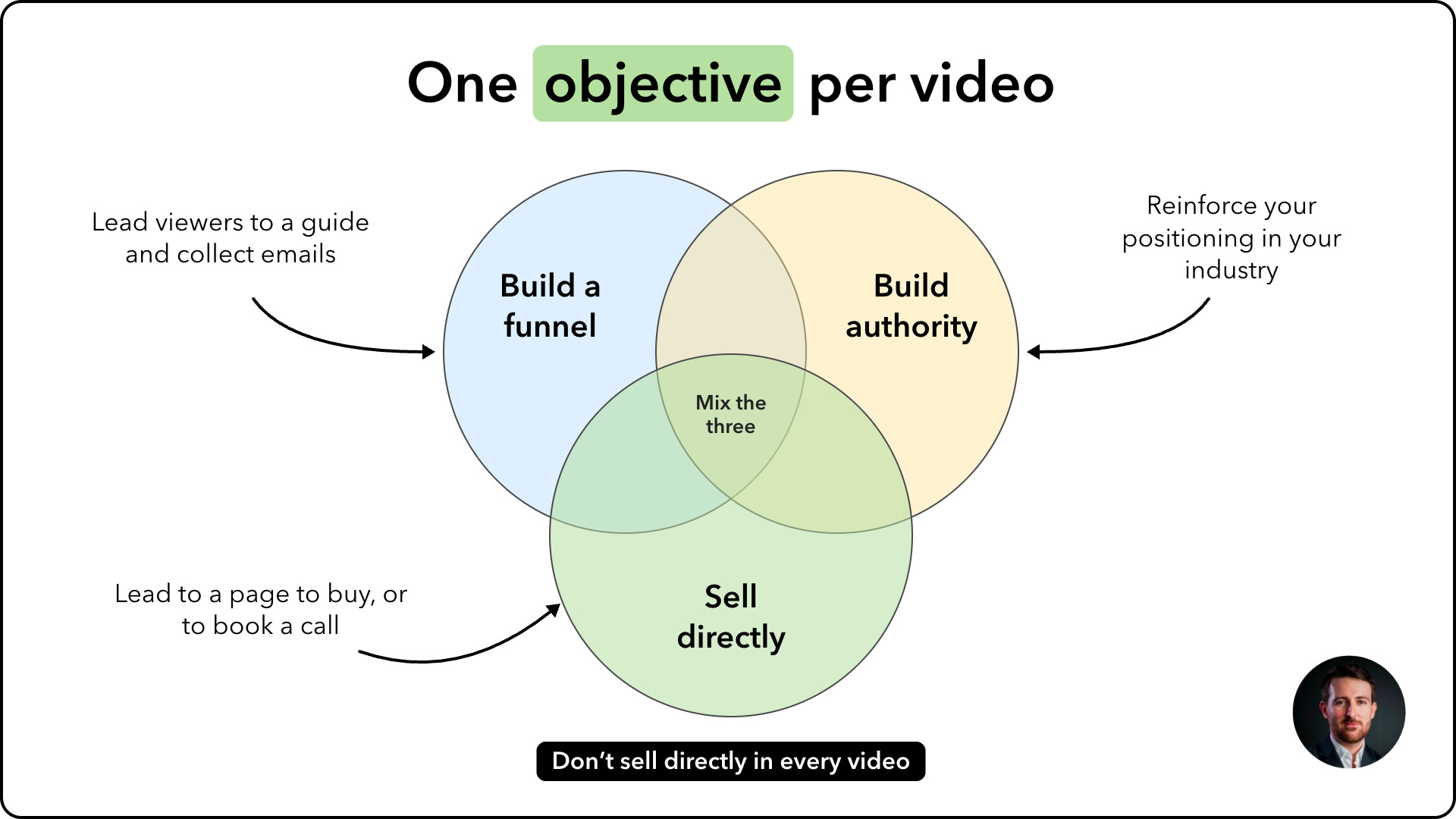
As you are putting a lot of efforts in your videos, you want some return on investment. This ROI will come from different tactics:
The first tactic is to create a funnel thanks to your video.
The second type of objective is to use the video only to reinforce your positioning and to become an authority in your industry.
And the third one can be to sell directly inside the video, with a link to a page to buy the product or to book a call.
My advice is to mix between the three. Of course, don’t do direct sell in every video.
2. Try the “extend” process, not only the “cut” process (also true for newsletters)
Most businesses write a long newsletter, then chop it into small pieces and distribute it on LinkedIn. And they do the same on YouTube.
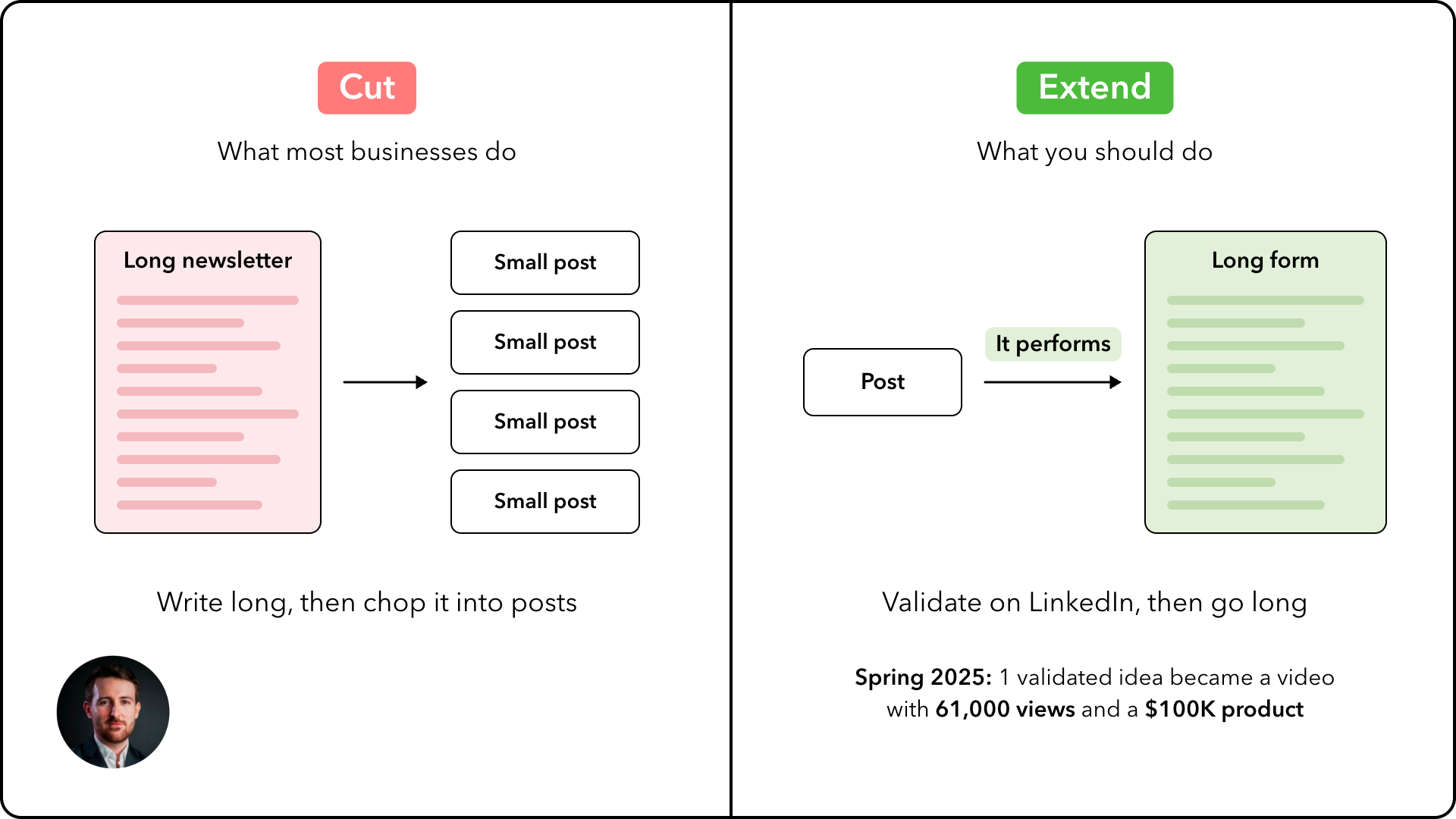
With the extend process we start from LinkedIn. We validate the fact that the audience is interested, and when we see that something is performing, we create a long form content on Substack and YouTube. So when you commit efforts to your long form, you’re sure it comes from a validated topic.
A winning LinkedIn post can (and should) become a winning YouTube video. One idea I validated like this turned into a video with 61,000 views, thousands of email subscribers, and a $100K product.
3. Focus on keywords that bring buyers
For keyword research I use a tool called VidIQ. It will also give you the questions people ask, like “how to use LinkedIn” or “how to set up LinkedIn profiles”. For those I will not create videos, because it’s not qualified traffic for me.
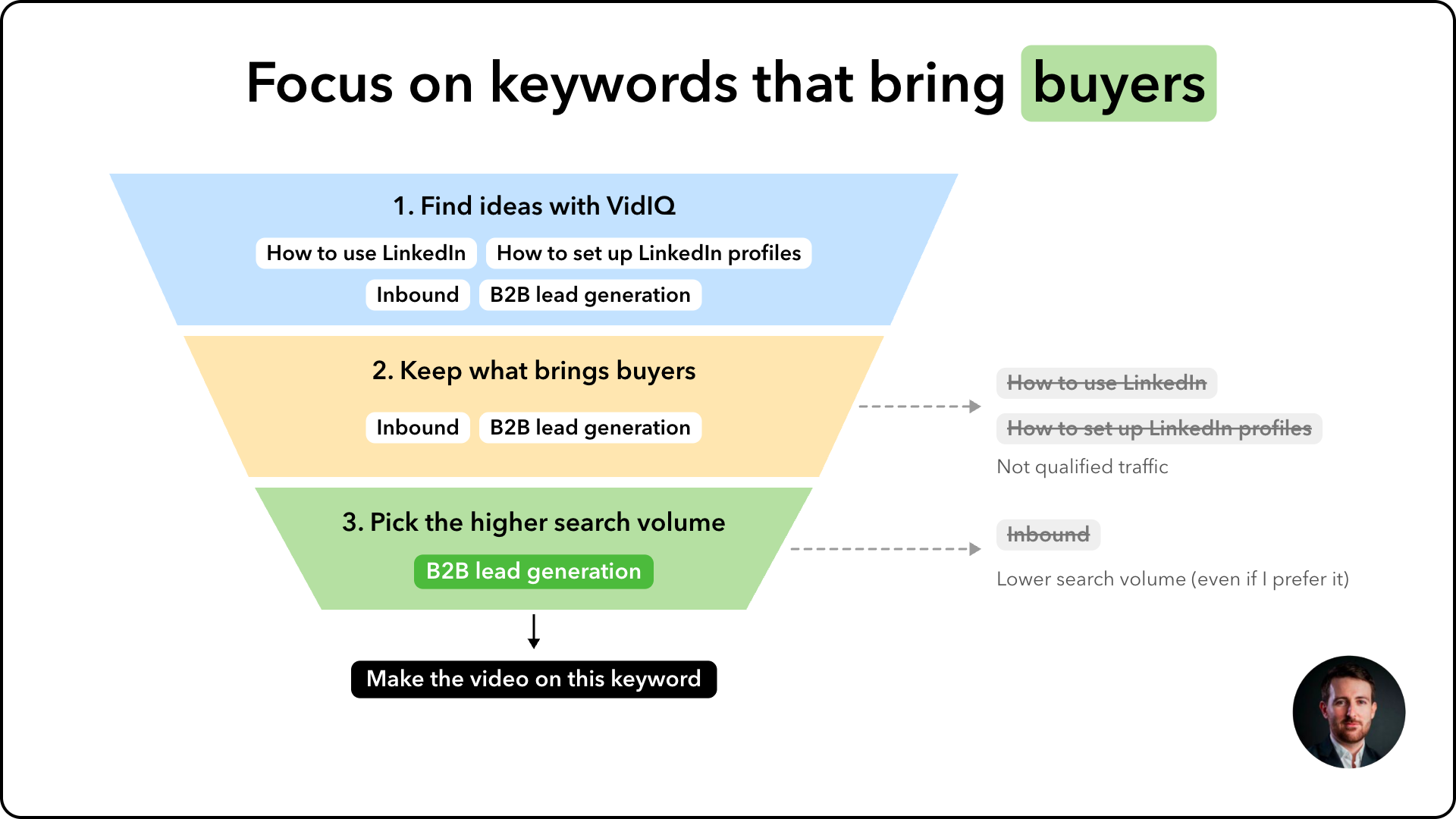
For one video I hesitated between “inbound” and “B2B lead generation”. Honestly I prefer inbound. But in terms of search volume, lead generation is way higher. So I need to follow the market. Even if you would like to introduce another keyword, use what people are searching for.
4. Create the concept, thumbnail and title before you record
At first, I recorded videos where I shared all my expertise, and I created the thumbnail when it was time to post. I was wrong.
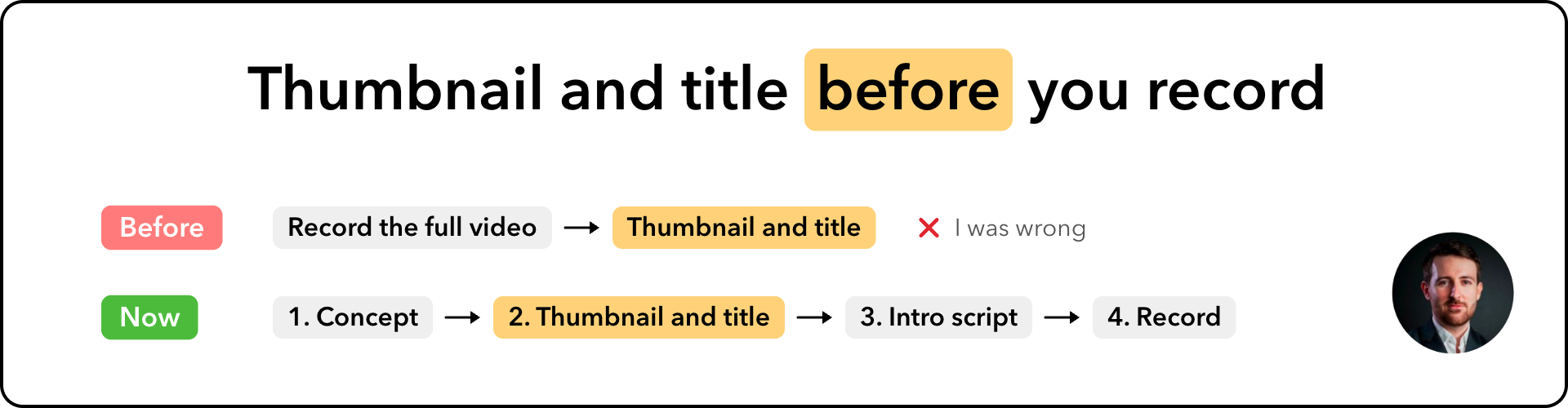
Here’s the process I use now:
Think about a concept based on research (keywords, or what you know from your audience)
Create the thumbnail and title before writing the script (because this is what will acquire viewers)
Write the introduction script (the first minute)
Record the video
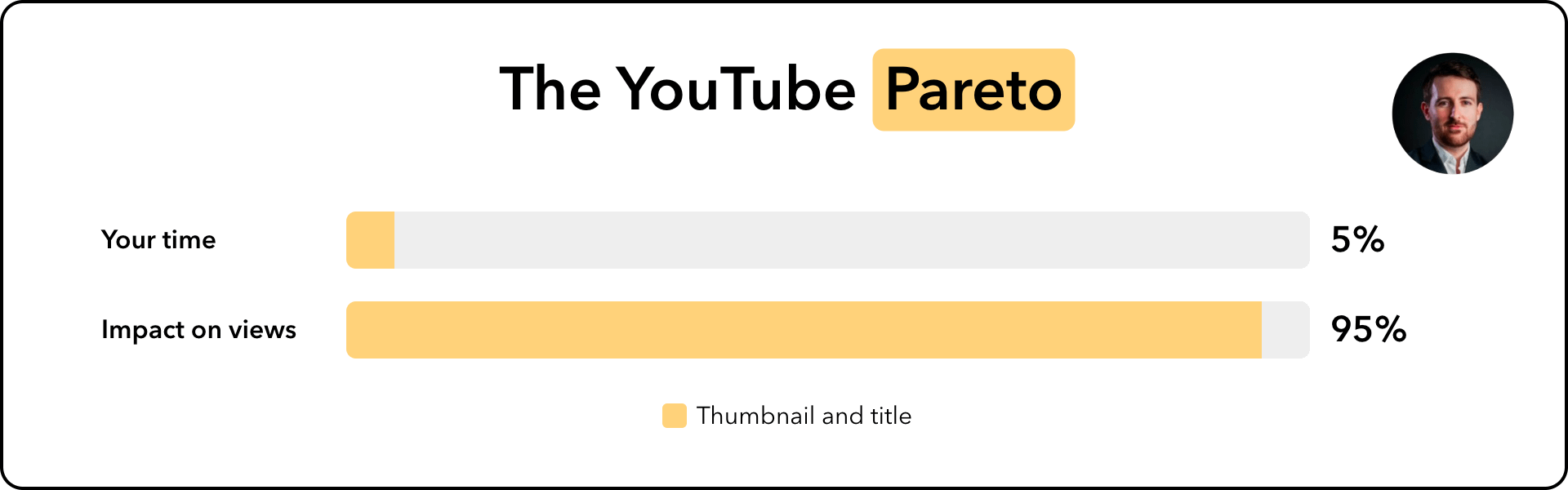
There is a Pareto in YouTube: A great thumbnail and title is like 5% of the time, but it will impact 95% of the performance.
5. Build a dedicated lead magnet for each big video
On YouTube, you should not have always the same lead magnet. When you plan a big video and you commit a lot of time to it, you adapt the lead magnet.
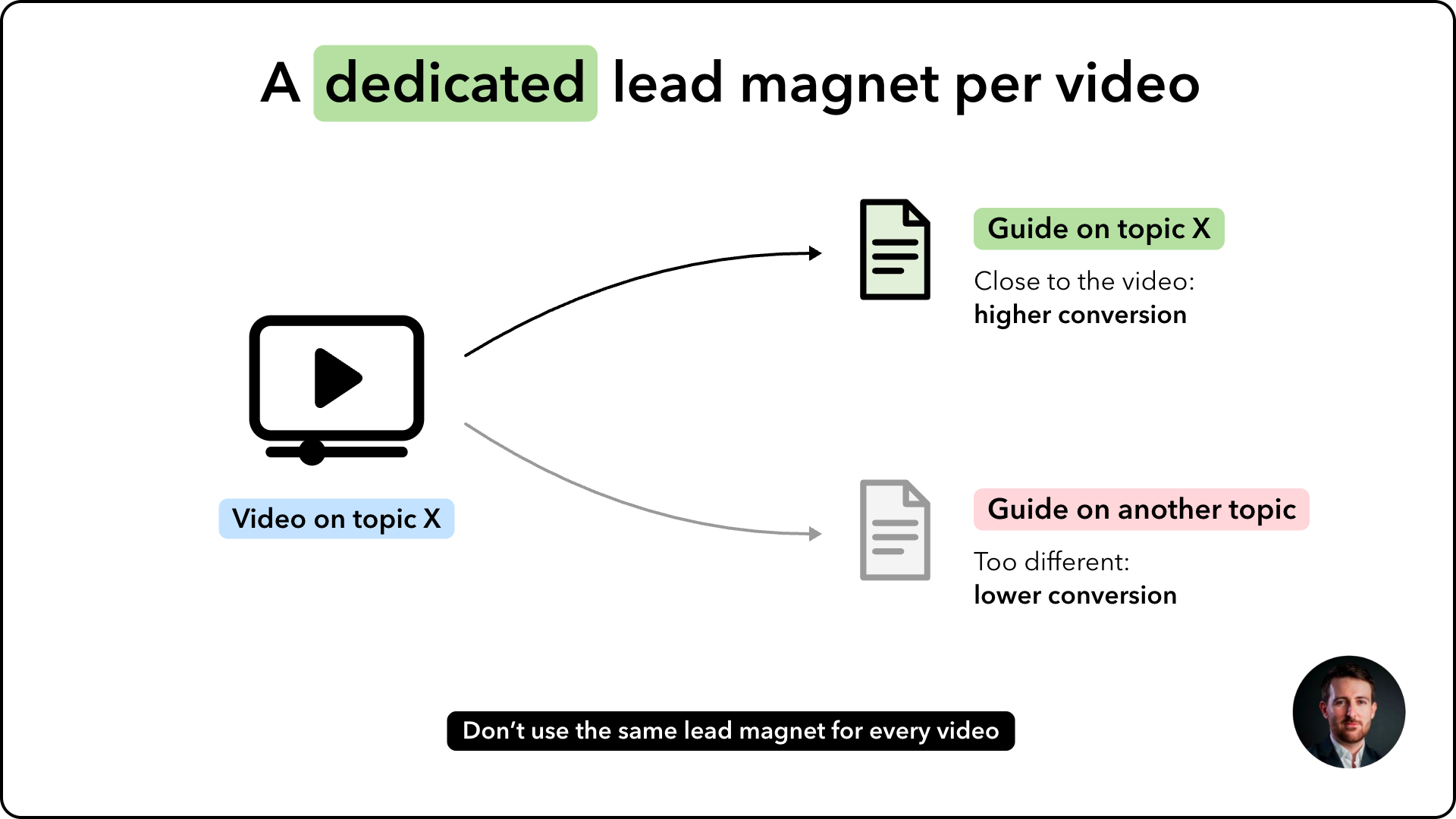
For example, my video “How I write LinkedIn posts that get 100,000 impressions” leads to a guide where I explain the five best formats I use on LinkedIn. If the guide was too different, for example the top 10 books that I love the most, it would reduce the conversion rate.
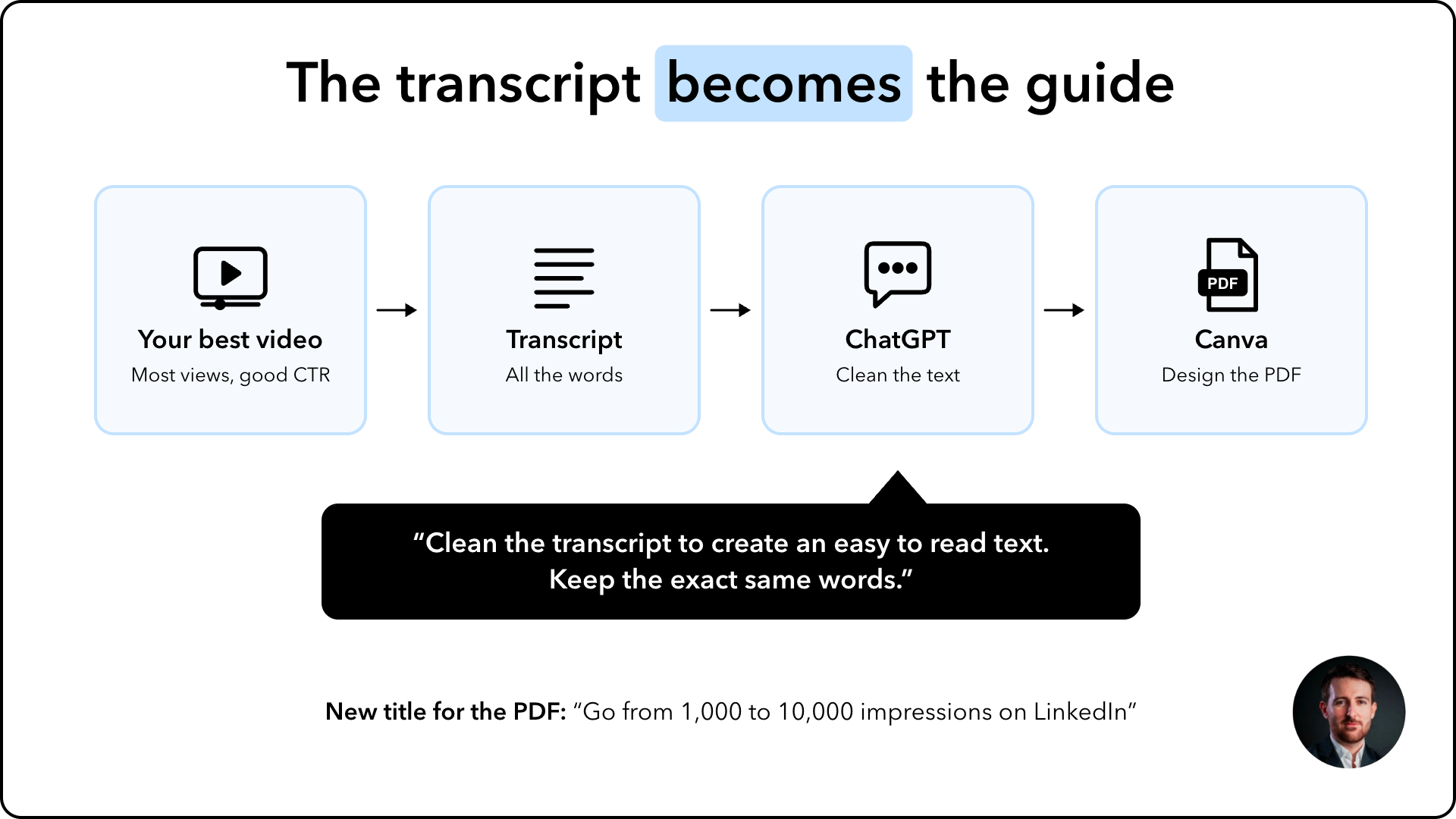
And you don’t need to write the guide from scratch. I paste the transcript of the video in ChatGPT and I ask: “Clean the transcript to create an easy to read text. Keep the exact same words.” Then, expand it so the guide is more appealing.
6. 5% in the video, 95% in the guide
Basically you give just 5% of a topic inside the video, and the guide (what I call a content upgrade) explains the 95 other percent. Imagine you give the first step in your YouTube video. The content upgrade will give the four steps that come after. So you see, it brings your audience from one layer to the next one.
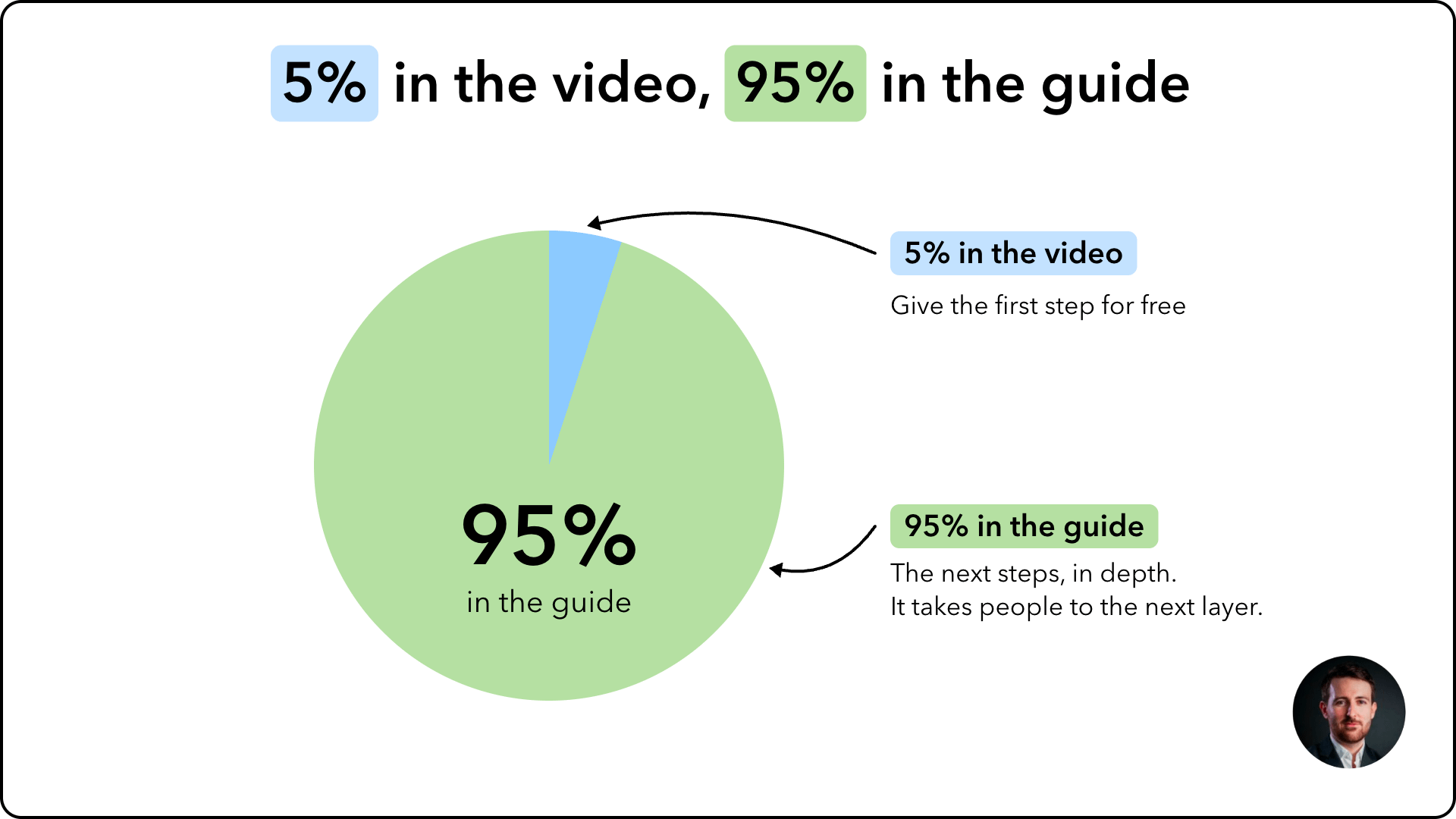
The mistake is to give everything inside the video. Then people have no reason to download the guide.
7. Place your main CTA strategically at 20-30% of the video
So if your call to actions are important for you, you should put them at the beginning of the video. Not during the introduction, during the first part of your structure. So it’s around 20-30% of the video. Why? Because a lot of people unfortunately will leave the video.
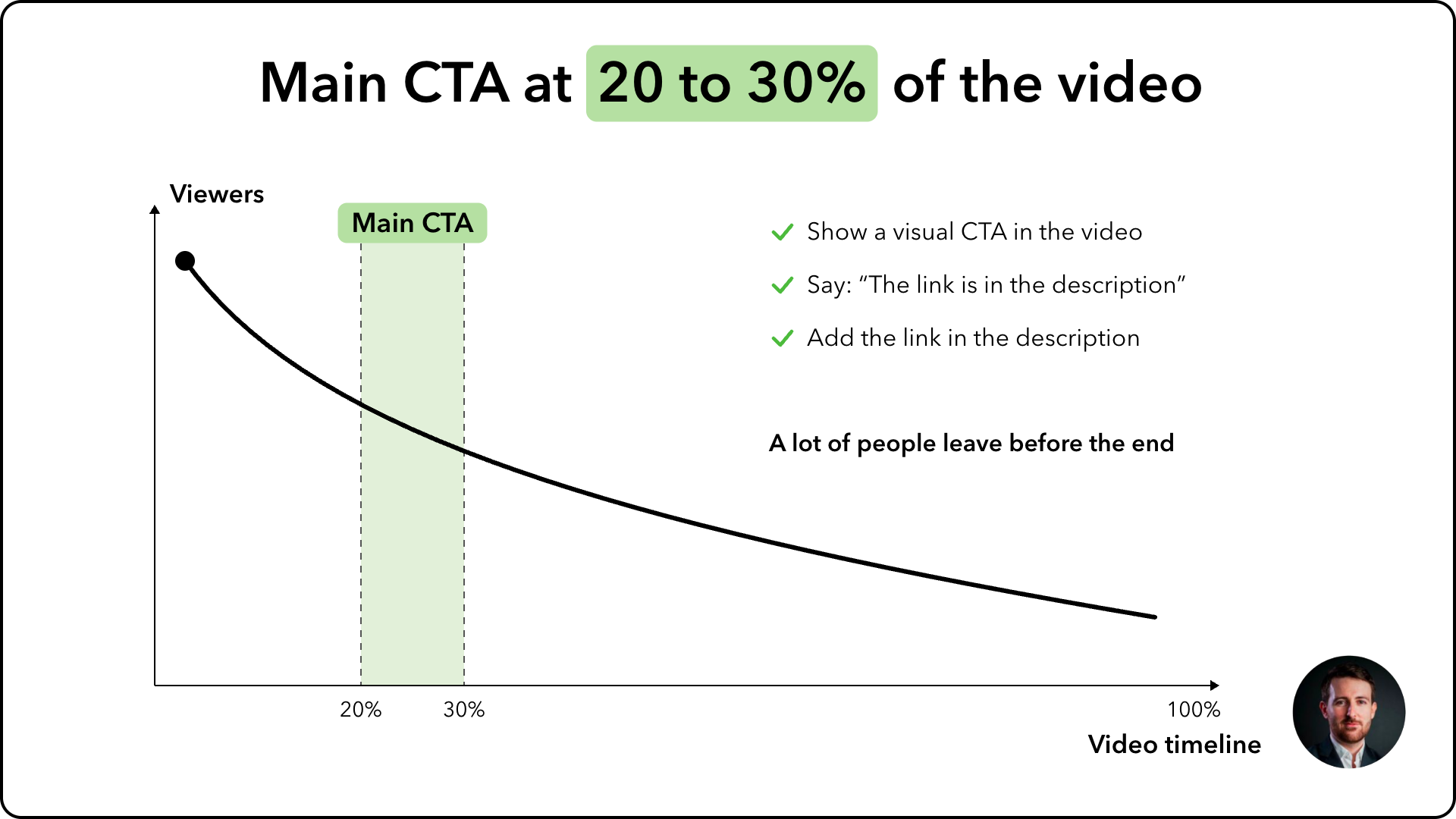
Insert a call to action with a visual inside the video, then add the link inside the description. In my video I just say, if you want my PDF guide with my 5 best formats, you can download it, the link is in the description.
8. Add a call link next to the guide CTA
In December 2024, I wrote about a video posted on Thursday March 21st that was still making 100-200 views per day. In the description there were 2 links, one for my course and one for a free ebook. So months later, I was still collecting emails and sales from this video.
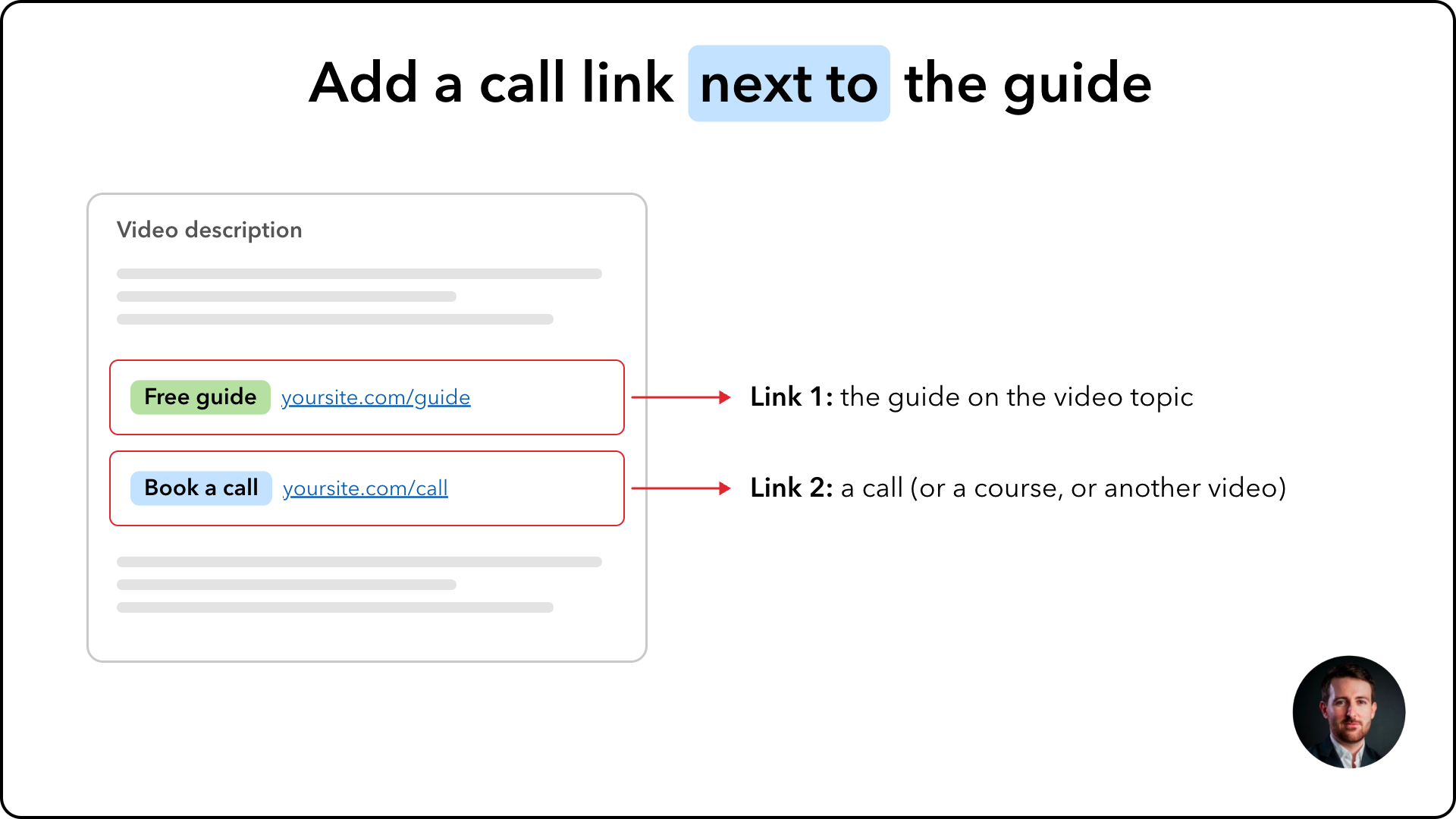
You can ask them to book a call and lead them to a booking system. At the end of my videos I say, if you prefer to have a call with me and my team first, you can book a call with us in the description. And of course, you can have two of those CTAs in the same video.
9. One question in the opt-in form
The guide is a document that I give away in exchange of name, email and some information. Here I ask if they are founder, marketer, solopreneur or others.
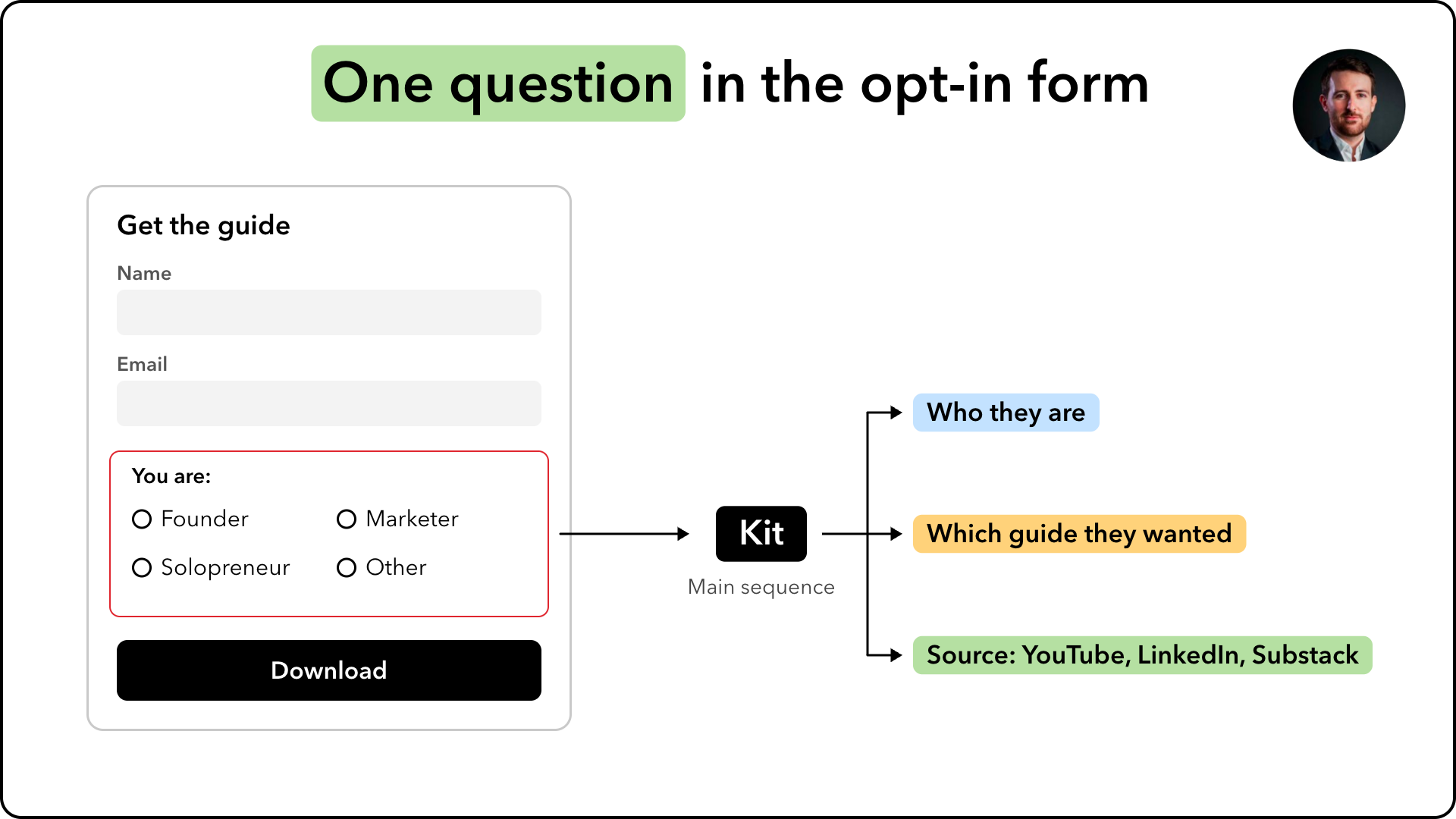
For me I have Substack for my newsletter, but I use Kit for marketing and sales sequences. It adds people to the main sequence and gives them tags depending on where they opted in from. Is it YouTube, LinkedIn or Substack for example.
10. An email loop that educates, then sells
After that, when they download the guide, they go inside an email loop where I share more educative content and more information about what I do. Kit keeps nurturing those leads by sending educational content, case studies or offers. And at some point some of them buy my course.
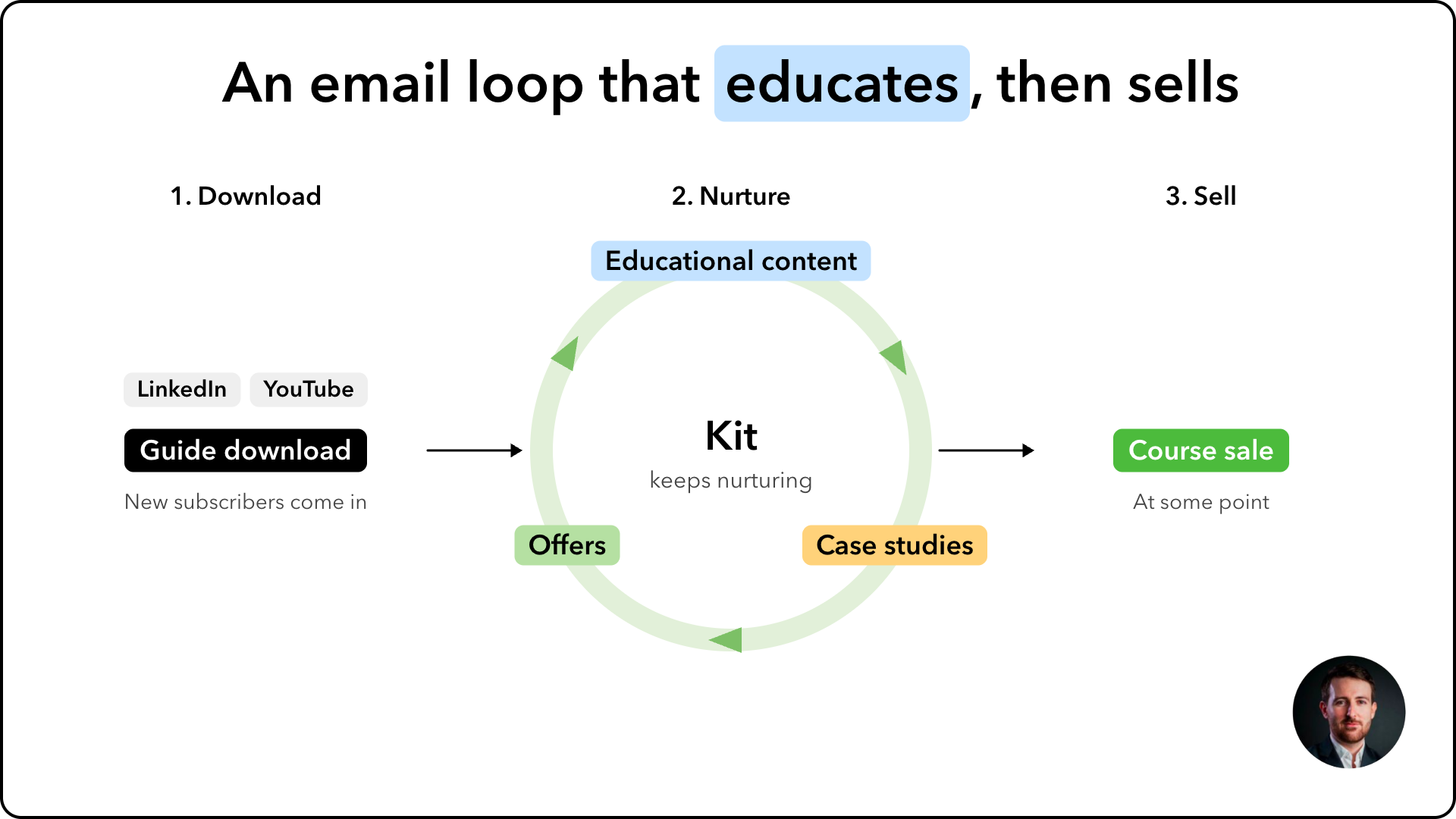
LinkedIn and YouTube help bring in new subscribers, but the newsletter is where I can nurture them over time.
11. Send your videos in social selling
Another way to distribute your video is to use it as an asset as part of your social selling campaign. Of course, always ask for the permission before sending it.
Hey, I just recorded a 20 minute masterclass that explains how to write the best LinkedIn post for B2B businesses. Do you want me to send it over?
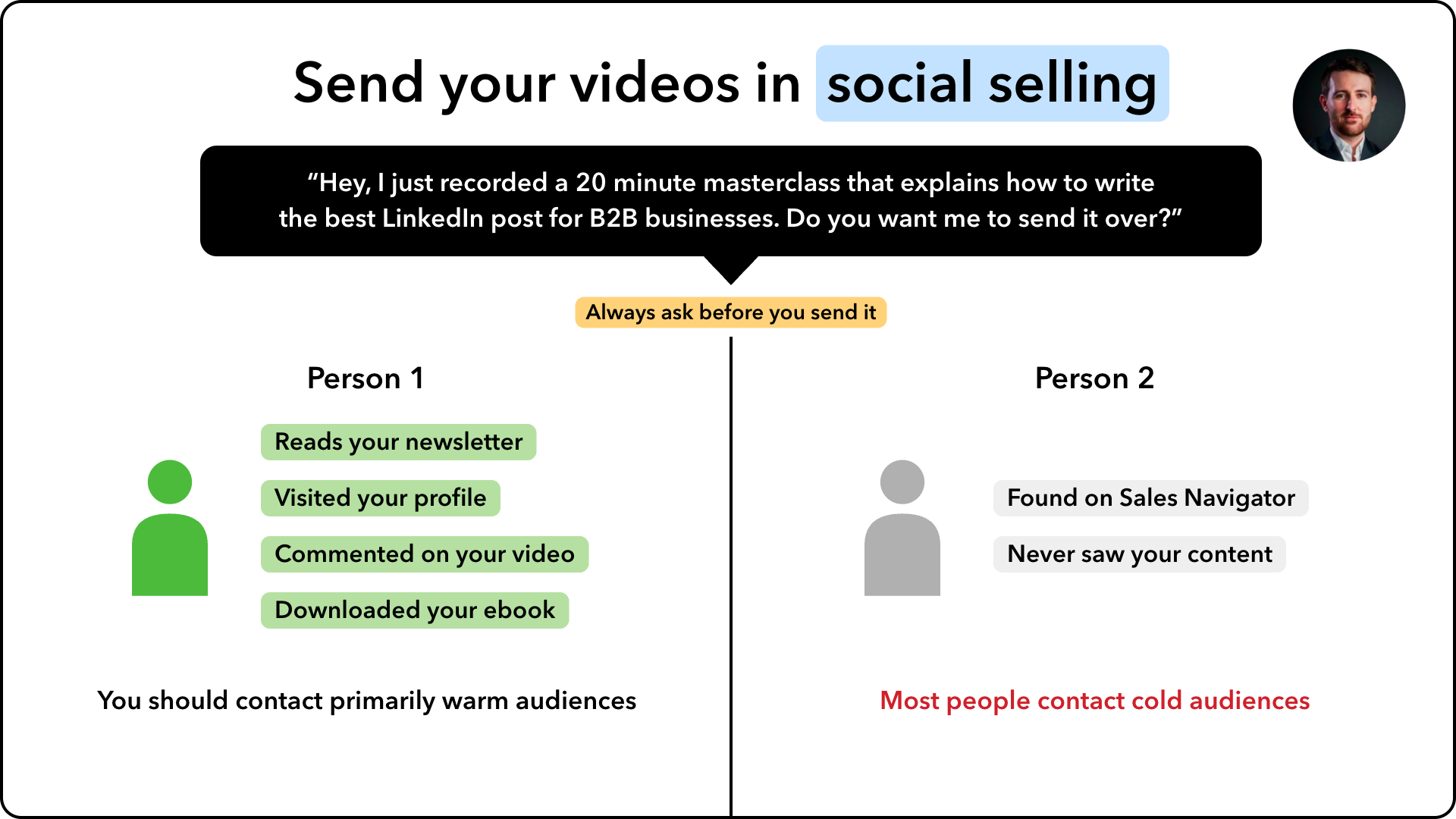
Imagine someone reads all your newsletters, visits your LinkedIn profile, comments your YouTube video, and downloads your ebook. Now another person never did that but you found them on Sales Navigator: Who would you contact first? In theory, everyone will contact the 1st one. But in reality, most businesses will contact number 2.
12. Distribute your videos on LinkedIn and on your newsletter
Posting videos is already a very strong step for your distribution thanks to the native distribution of YouTube. If you have the right keywords and the right topic in your video, your videos will naturally find their audience thanks to the search bar and also to the algorithm of YouTube.
But you should also distribute your videos on LinkedIn and on your newsletter. It’s two different channels, so you need to do it differently.
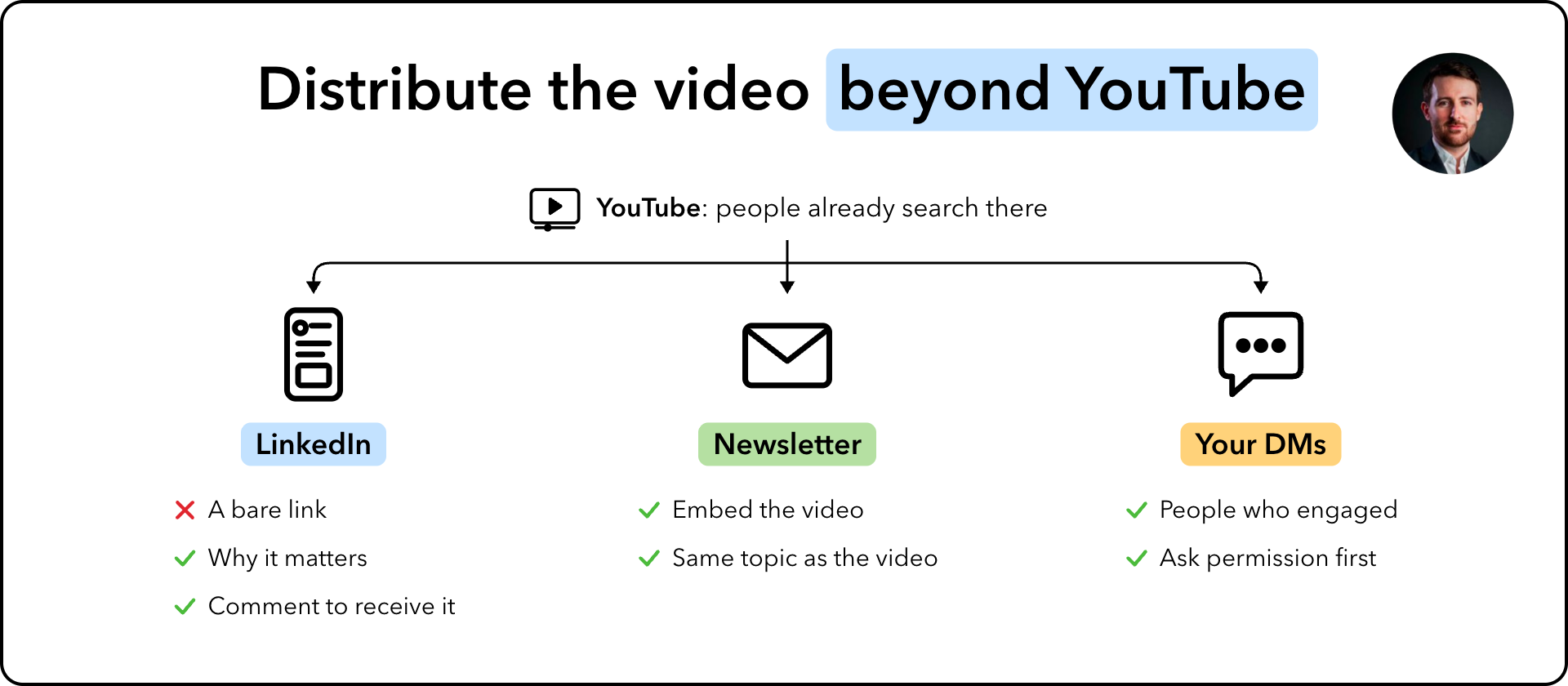
In your newsletter, you can add the video directly and use a tool such as TapIt, so it opens inside YouTube rather than on Safari or Chrome. When someone is opening a newsletter, they are more in a mood to watch a video compared to when they are on LinkedIn.
On LinkedIn, explain why this video is important and ask them to comment to receive it. Or add the link but introduce it carefully and tell them to save it for later. Because sometimes they will click, watch 10 seconds and leave (they were in the bus or something like this), and it will trigger the wrong signal to the algorithm.
Want to build your content system with me?
Watch the tactics in action. All my B2B marketing videos are on my YouTube channel, with the lead magnets and CTAs I talk about in this edition. Subscribe to my YouTube channel
Learn my full content system. In my course, I share how I use LinkedIn, the newsletter and YouTube to generate leads and sales, with the scripts, the thumbnails and the lead magnets. Join the course
Or let my team install it for you. We’re opening a new batch of GTM Sprints. Over 60 days, we install your offer, content and outbound system, and at the end you own it. Learn more about the GTM Sprint
Really awesome article. Have been doing YouTube often, but not with a real strategy like on LinkedIn or Substack. Definitely saving this and referring to it!
One adaptation for software companies, since most B2B YouTube advice assumes you sell expertise: for a product, the best lead magnet is often a template or a trial workspace that matches the video. If the video shows how to build a weekly client report, the description link should open a trial with that report already set up, not the generic signup page. It's your 5% / 95% split again: the video shows the first step and the product does the rest.
Product walkthroughs also have a shelf life your educational videos don't. When the UI changes, a video still getting 100 views a day starts showing buttons that no longer exist. Putting the product version in the description and pinning a comment when things move saves a lot of confused support emails.